My PS5 Apex Legends Season 20 Nightmare and How I Survived
Discover how Apex Legends Season 20's PS5 update glitch impacted gameplay, highlighting Respawn's quick fixes and workarounds for an epic battle experience.
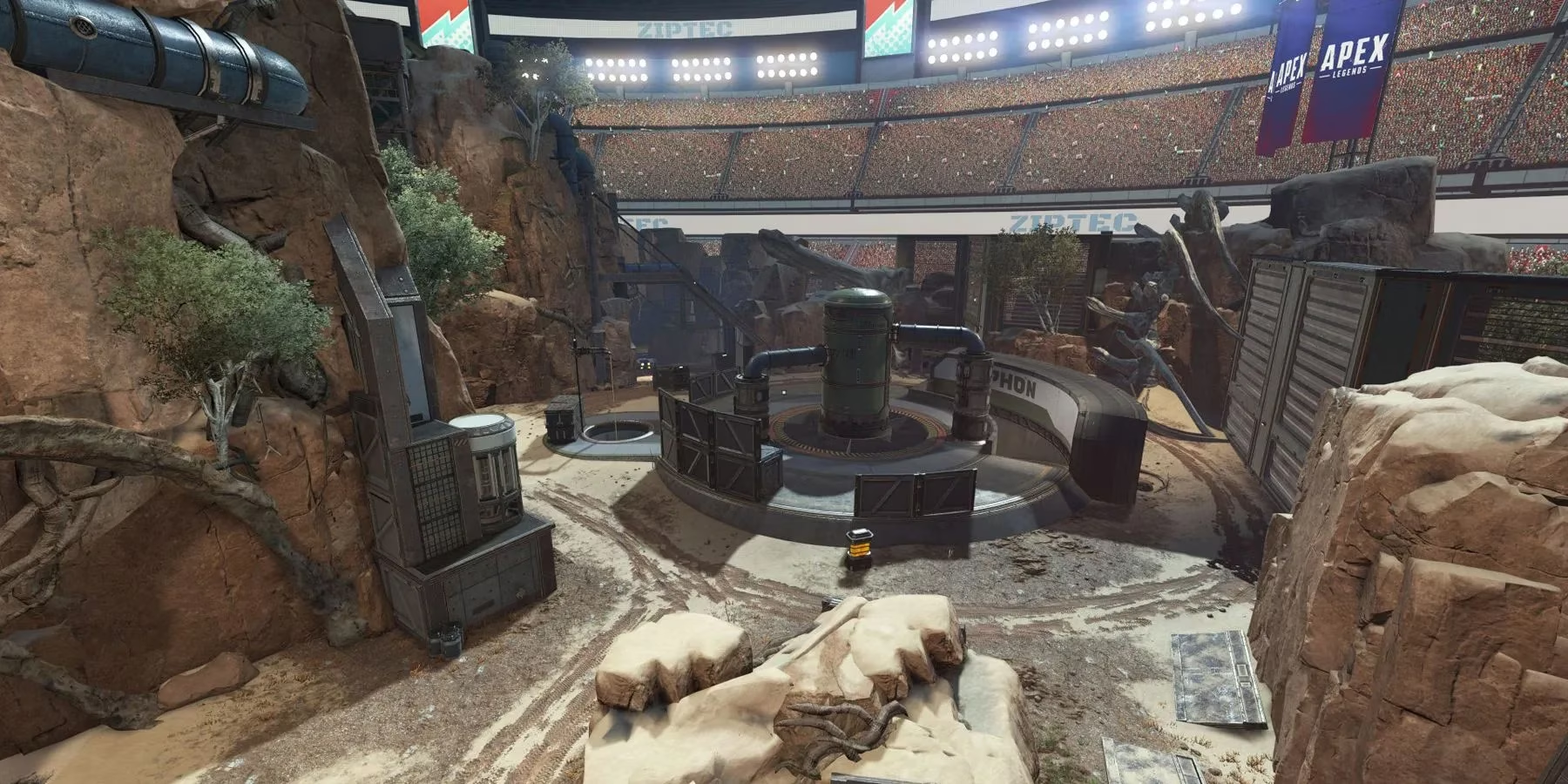
I'll never forget February 13, 2024 – the day Apex Legends Season 20: Breakout launched. There I was, coffee in hand, ready to dive into the new Thunderdome map, when my PlayStation 5 slapped me with that soul-crushing "No Servers Available" error. It felt like showing up to a concert only to find the doors chained shut. Little did I know, thousands of us PS5 players were stranded in digital purgatory because of a premature update download – a glitch in Sony's automated system that pulled the Season 20 update before Respawn Entertainment had flipped the official switch. The irony? While Xbox and PC players were already dropping into the new EVO-powered battles, we PS5 users stared at error screens like kids with noses pressed against a candy store window.
Respawn's tweet that morning explained the fiasco: the update wasn't supposed to go live until 10 AM Pacific, but some PS5s jumped the gun like overeager racehorses bursting from the gates too early. What made this especially brutal was knowing what we were missing – the revolutionary Legend Upgrades system that transforms gameplay mid-match. Imagine evolving your character like a Pokémon mid-battle by collecting glowing EVO resources! You'd harvest them from:
-
🎯 Combat actions (knocks, assists, damage)
-
🔍 EVO Harvesters scattered across maps
-
💎 Rare EVO Caches (the new gold-tier loot)
People Also Ask: Why couldn't Respawn just roll back the update? Turns out, console certification processes are like turning an aircraft carrier – it takes hours just to get approval for minor fixes. The studio's hands were tied until the scheduled launch time.
My salvation came through an old-school workaround: downloading the PS4 version on my PS5. The process felt like using a smuggler's tunnel to bypass a blockade:
1. For existing PS4 owners:

   - Open PlayStation Store → Search "Apex Legends"

   - Click "..." → Select "PS4 Version" → Install

2. For PS5-only players:

   - Log into PlayStation Store via PC

   - Add PS4 version to library

   - Repeat steps above on console
Switching versions was like putting premium fuel in a lawnmower – functional but painfully inefficient. The PS4 build ran at 60fps instead of 120fps, with textures blurrier than my vision before morning coffee. Yet we played anyway, because Season 20's Thunderdome was worth the compromise. That map! Fighting in a packed virtual stadium made every firefight feel like the climax of a superhero movie, complete with roaring crowds and explosive verticality.
People Also Ask: Could this happen again with future updates? Respawn implemented new "update gates" after this debacle. Now, PS5 updates trigger only when servers emit a digital "all clear" signal – like a submarine waiting for verified sonar pings before surfacing.
What fascinates me looking back from 2025 is how this glitch became a bizarre bonding experience. For five chaotic hours, we PS5 refugees formed impromptu LFG groups on Reddit, sharing memes about our downgraded graphics while Respawn scrambled. The studio later gifted affected players:
-
⚡ Exclusive "Early Bird" weapon charm
-
🛡️ 500 Legend Tokens
-
📜 Thunderdome map strategy guide PDF
Today, I still keep the PS4 version installed – not out of necessity, but as a reminder that sometimes the backdoor path leads to the most memorable adventures. After all, Season 20's Breakout theme proved doubly true: we broke out of our technical prison through sheer stubbornness.
FAQ
🤔 Why did only PS5s download the update early?
PlayStation's auto-update system accidentally triggered when Respawn pushed the build to backend servers. Xbox/PC platforms have different validation protocols that prevented premature downloads.
🔧 Does the PS4 workaround still work for modern seasons?
Technically yes, but unnecessary since Respawn overhauled their deployment system in Season 22. Current PS5 updates now have triple verification checkpoints.
⏳ How long were servers actually down?
PS5 players regained full access at 1:05 PM Eastern – precisely five hours after the scheduled launch. The PS4 workaround cut downtime to under 90 minutes for most.
🔁 Can I switch between PS4/PS5 versions freely now?
Absolutely! Save data syncs seamlessly via cloud. Just remember to quit the game fully before swapping versions to avoid profile corruption.
Leave a Comment
Comments